USD 20.00

Most carwipes only run on the client, so every vehicle nobody is streaming survives the wipe. That is why the streets are full again twenty minutes later.
Most carwipes only run on the client, so every vehicle nobody is streaming survives the wipe. That is why the streets are full again twenty minutes later. JC Carwipe runs a second pass on the server, warns your players with a counter on screen first, and keeps the cars that shouldn't go.
Here is the bug almost every free carwipe ships with. The client checks protection its own way, the server checks it another way, and the two disagree. A car gets deleted for one player and stays solid for another, and now you have a vehicle that exists for half your server.
JC Carwipe builds the same plain table on both sides and asks a single shared function. A vehicle can never be safe for one player and gone for the next, because there is only one rule and both sides read it.
Two passes, both optional, both one config line.
The clients clear their own vehicle pool. This is the pass that really empties the streets, because ambient traffic is created by each player's game engine and never exists on the server at all. When a client can't take control of a vehicle on the first frame it retries, three rounds by default.
Then the server enumerates every networked vehicle and takes the ones nobody was streaming. On a server build without GetAllVehicles that pass simply does nothing rather than erroring out.
/carwipe announces it and starts the countdown, 60 seconds by default/carwipe 120 the same, with the countdown you ask for, up to a ceiling you set/carwipe now wipes immediately, no warning/carwipe cancel cancels a running countdown and tells everyonePermissions are checked three ways so the admins you already have keep working: an ACE permission, the QBCore permission level and the ESX group list.
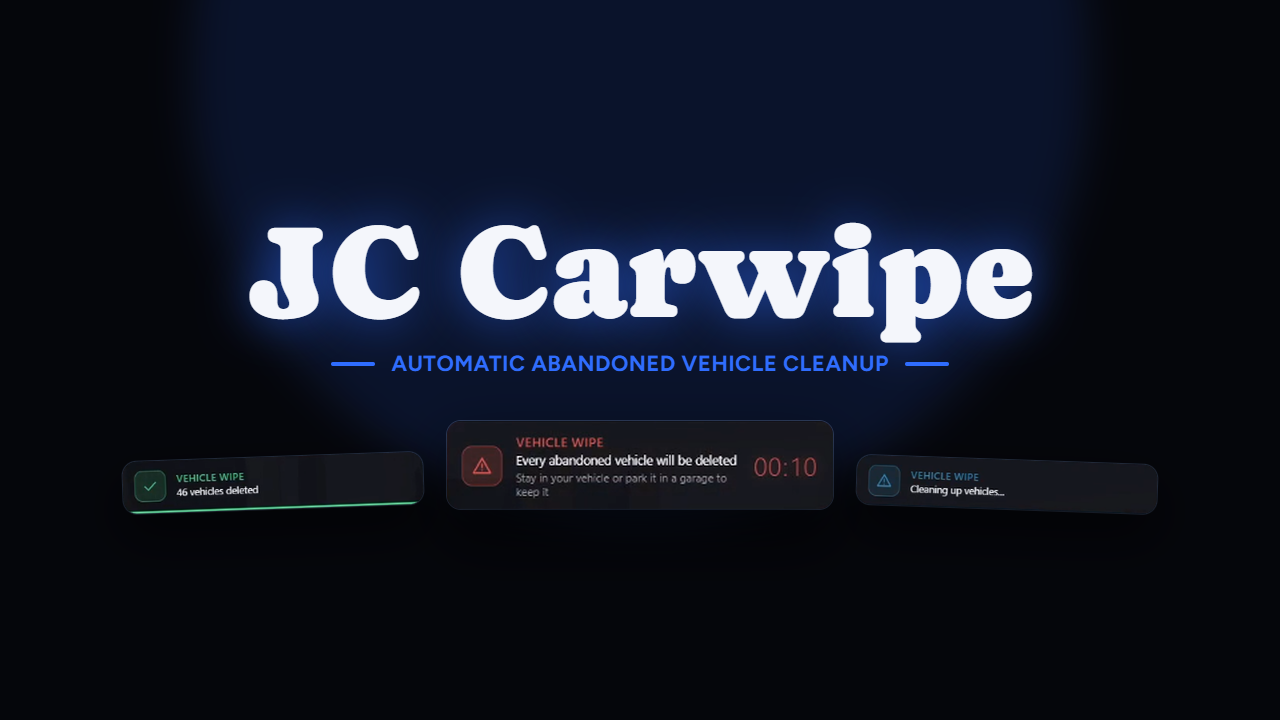
From the moment the wipe is announced there's a counter on screen with the seconds left, a line telling players how to save their car, and a result card at the end with how many were deleted. Position, accent color, warning color, the beep and how long the result card stays up are all yours to set.
Notifications fire at the marks you choose, 30 and 10 seconds by default, while the on-screen counter keeps running the whole time.
Occupied vehicles are never touched. Past that you get a model list, shipping with police, EMS and taxi, a plate list, and safe zones drawn on the map with blips, set up out of the box on Legion Square, the airport and Paleto Bay.
Other resources can flag a vehicle through a state bag or a server export, so your garage, your event script or your tow job protects whatever it needs without either of you touching the other's code.
Two more rules ship off by default, deliberately: keeping vehicles a driver left recently, and keeping everything within a radius of any player. Those two are the reason a wipe looks broken while you're testing it, since the car you just parked and the car next to the admin who typed the command both survive. They're documented and they're there when you want them.
Turn on debug and every vehicle that survives prints the exact rule that saved it, in the client console and in the server one.
Automatic wipes on an interval you set, with a minimum player count so an empty server doesn't bother.
Discord webhook logging. Who started it, how many vehicles were deleted, how many were protected, and how long the warning ran.
Exports on both sides to start, cancel and query a wipe, protect a vehicle by net id, or refresh its in-use timer from your own scripts.
ensure jc-carwipeconfig/carwipe.lua and set the safe zones for your mapadd_ace group.admin command.carwipe allowThat's the whole install. If your admins are set up through QBCore permissions or ESX groups, they already work without the ace.
The resource is escrow protected, but everything worth editing is left open:
config/carwipe.lua, the whole configuration: command, warning times, the two wipe passes, every protection rule, safe zones, the counter's look and the webhooklocales/, every string the script printsclient/cl_sweep.lua, the client sweep itselfclient/framework/, server/framework/ and server/sv_logs.lua, the bridges and the Discord log, so you can adapt them to a framework or a log format that isn't on the listDiscord: https://discord.gg/qvHK4E6Pya
Showcase: https://youtu.be/2ni4ZzPVaNo
Questions before buying? Ask in the Discord, I answer everything.